
Free AI Video Generator
Turn text or images into AI videos online for free with MiniMax H3 Turbo. No sign-up, unlimited free videos, and Veo 3.1, Seedance 2.5 and Kling 3.0 when you need more.
Turn text or images into AI videos online for free with MiniMax H3 Turbo. No sign-up, unlimited free videos, and Veo 3.1, Seedance 2.5 and Kling 3.0 when you need more.
Free AI video generator: text to video and image to video
Everything you need to make AI videos online for free, from a single prompt or a photo.
Free
Free AI videos, no sign-up
Make AI videos for free with MiniMax H3 Turbo at 480P · 4s. No account and no credit card: open the page, type a prompt and generate. Sign in with a free account to keep making unlimited free videos.
Text to video
Text to video AI
Describe a scene, the action and the camera move, and the AI video generator turns your words into a video clip with native audio.
Image to video
Image to video AI
Upload a photo as the first frame, or set a first and last frame, and turn the picture into a smooth AI video that keeps your subject.
Models
Top AI video models in one place
Start free with MiniMax H3 Turbo, or switch to MiniMax H3, Seedance 2.5, Veo 3.1 and Kling 3.0 for 2K, longer clips or bolder motion.
Output
Fast, sharp AI video
Most free MiniMax H3 Turbo clips are ready 30–60 seconds after they start. Pick the aspect ratio, and go up to 2K or 4K with other models.
How to make a free AI video in 3 steps
No editing skills needed: the AI video maker does the work.
Write a prompt or upload a photo
Describe the subject, the action and the camera move, or upload an image to animate. Short, concrete prompts work best.
Generate with MiniMax H3 Turbo for free
MiniMax H3 Turbo at 480P · 4s is selected by default and free, with no sign-up. Pick another model when you want longer or sharper clips.
Watch, download and share
Your AI video is ready in about a minute. Sign in to save it to your History, then post it to TikTok, Reels or YouTube Shorts.
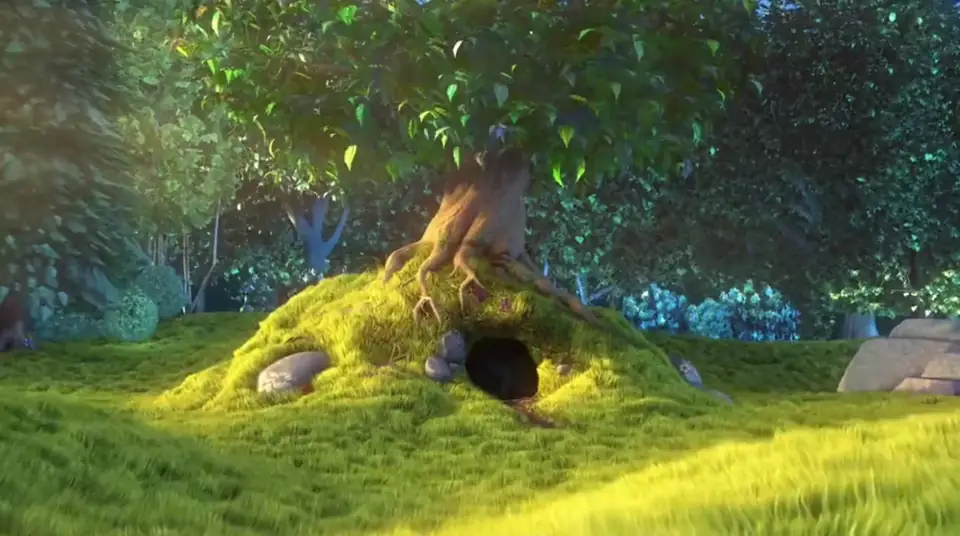
What you can make with a free AI video generator
From social clips to product shots, turn ideas into AI videos in minutes.
Turn wild ideas into short videos for TikTok, Reels and Shorts.
Turn any photo into a video with natural motion and relive treasured memories.
Create imaginative ads that highlight product texture and detail.
Turn pet characters into AI animations and tell fantasy stories.
Pair dance with unexpected settings, with music and sound generated in the same clip.
Preview stunts and camera moves to explore cinematic ideas.
AI video models: Hailuo (MiniMax), Veo, Seedance and Kling
Start free with MiniMax H3 Turbo, then open any model page to see what it does best.
 MiniMax H3 TurboFREEFast, lower-cost 480P / 768P video with optional native stereo audio.
 Wan 3.0 Prime-60%Faster multimodal video, up to 30 seconds.
- Wan 3.0-60%Multimodal video up to 30 seconds, with optional sound.
 Gemini Omni Flash720p video from text, one image, or 1–6 reference images.
 Seedance 2.5Up to 30 seconds with multimodal references and native audio.
- MiniMax H3-70%2K video with native stereo audio and multimodal references.
- Seedance 2.0Smooth motion and natural choreography.
- Seedance 2.0 MiniLower-cost drafts with rich reference control.
- Seedance 1.5 ProCinematic 1080p video with synchronized native audio.
- Seedance 1.0 Pro FastFast, lower-cost text and image-to-video up to 1080p.
 Veo 3.1Native audio, 4K output, cinematic realism.
 Kling 3.0Fast action with bold camera moves.
- Kling 3.0 TurboFaster short-form text and first-frame video generation.
Keep exploring Raphael
Choose Your Plan
Upgrade for longer, sharper AI videos that start right away, plus commercial use.
Pro
-50%Unlimited Model Benefits
 Seedream 3.5Unlimited
- Seedream 3.5 ProUnlimited Not Included
 MiniMax H3 TurboUnlimited Not Included
- MiniMax H3Unlimited Not Included
- Upgrade to unlock all advanced models and enjoy exclusive discountsMiniMax-70%GeminiNano
 GPT-50%Seedream-40%VeoSeedance
 Kling
 Grok
 Wan
- 2,000 credits per month
- Up to 2,000 fast images
- Up to 200 basic videos
- Priority queue
- No watermarks
- Batch processing with AI tools
- Full privacy
Ultimate
-50%Unlimited Model Benefits
- Seedream 3.5Unlimited
- Seedream 3.5 ProUnlimited
- MiniMax H3 TurboUnlimited Not Included
- MiniMax H3Unlimited Not Included
- Upgrade to unlock all advanced models and enjoy exclusive discountsMiniMax-70%GeminiNanoGPT-50%Seedream-40%VeoSeedanceKlingGrokWan
- 5,000 credits per month
- Up to 5,000 fast images
- Up to 500 basic videos
- Highest priority queue
- No watermarks
- Batch processing with AI tools
- Full privacy
Max
-50%Unlimited Model Benefits
- Seedream 3.5Unlimited
- Seedream 3.5 ProUnlimited
- MiniMax H3 TurboUnlimited
- MiniMax H3Unlimited
- Upgrade to unlock all advanced models and enjoy exclusive discountsMiniMax-70%GeminiNanoGPT-50%Seedream-40%VeoSeedanceKlingGrokWan
- 10,000 credits per month
- Up to 10,000 fast images
- Up to 1,000 basic videos
- Highest priority queue
- No watermarks
- Batch processing with AI tools
- Full privacy
Free AI Video Generator FAQ
Answers about making AI videos for free with Raphael AI.
What is the Raphael AI video generator?
Raphael AI is a free AI video generator online. It turns text prompts or images into short AI videos with top models like MiniMax H3 Turbo, Veo 3.1, Seedance 2.5 and Kling 3.0, right in your browser. You can start for free with no sign-up.
Is the AI video generator really free?
Yes. MiniMax H3 Turbo videos at 480P · 4 seconds are free, and you can try one without signing up. Sign in with a free account to keep making unlimited free videos. Other models, higher resolutions and longer clips use credits, and the cost is shown before you start.
Can I use the AI video generator without signing up or logging in?
Yes. Visitors can make free MiniMax H3 Turbo videos without an account or login. Sign in within 10 minutes to save a video to your History, and keep making free videos with a free account.
Is there a limit on free AI videos?
Free accounts have no daily cap on free MiniMax H3 Turbo videos. Visitors without an account get a few free videos a day. Credits let you start right away and unlock the other models.
How do I turn text into a video with AI?
Choose Text to Video, describe the scene, the action, the camera move and the mood, then generate. The text to video AI returns a short clip with native audio in about a minute.
Can I turn a photo into a video for free?
Yes. Choose Image to Video, upload a photo as the first frame, describe the motion and generate. MiniMax H3 Turbo videos at 480P · 4 seconds are free.
Which AI video models can I use?
MiniMax H3 Turbo is the free default for quick 480P–768P clips. MiniMax H3 adds 2K and multimodal references, Seedance 2.5 makes clips up to 30 seconds with references and audio, and Veo 3.1 and Kling 3.0 focus on cinematic realism and bold camera moves. The options update when you switch models.
What is MiniMax H3 Turbo (Hailuo AI)?
MiniMax H3 Turbo is the fast version of MiniMax's H3 video model, also known as Hailuo 3. It makes 480P or 768P clips from 4 to 12 seconds with optional stereo audio, and 480P · 4-second clips are free on Raphael AI.
How long does it take to make an AI video?
Most MiniMax H3 Turbo clips are ready about 30–60 seconds after they start. Higher resolutions, longer clips and some models take a few minutes.
How long can AI videos be, and in what resolution?
Free videos are 480P · 4 seconds. With credits, MiniMax H3 Turbo goes up to 768P and 12 seconds, Seedance 2.5 up to 30 seconds, MiniMax H3 up to 2K and Veo 3.1 up to 4K.
Can I add sound to my AI videos?
Yes. MiniMax H3, Seedance 2.5, Veo 3.1 and other models generate native audio together with the picture. Turn Sound on or off before you generate.
Can I make vertical videos for TikTok, Reels and Shorts?
Yes. Pick 9:16 before you generate to get a vertical AI video, 16:9 for YouTube, or 1:1 for feeds.
How do credits work for video generation?
Credits scale with the model, length, resolution and output count, and the estimate updates instantly when you change settings. MiniMax H3 Turbo videos at 480P · 4 seconds can be made for free, without spending credits.
Can I use AI videos commercially?
Commercial use depends on your plan: paid plans include commercial rights under our Terms of Use, while free videos are for personal, non-commercial use.
Is there a free AI video generator with no restrictions?
Raphael AI has no sign-up wall and no daily cap on free videos for free accounts. Our content policy still blocks NSFW, deepfakes and celebrity look-alikes to keep the AI video generator safe.
What image formats can I use for image to video?
PNG, JPG, JPEG and WEBP images up to 20MB each. Clear, well-lit photos give the best AI videos.
Do you store my prompts or videos?
We use your prompts and inputs only to generate and deliver your video. Any retention and visibility rules follow our Privacy Policy and account history settings.
